Social media
Marathon Training Carousel Template
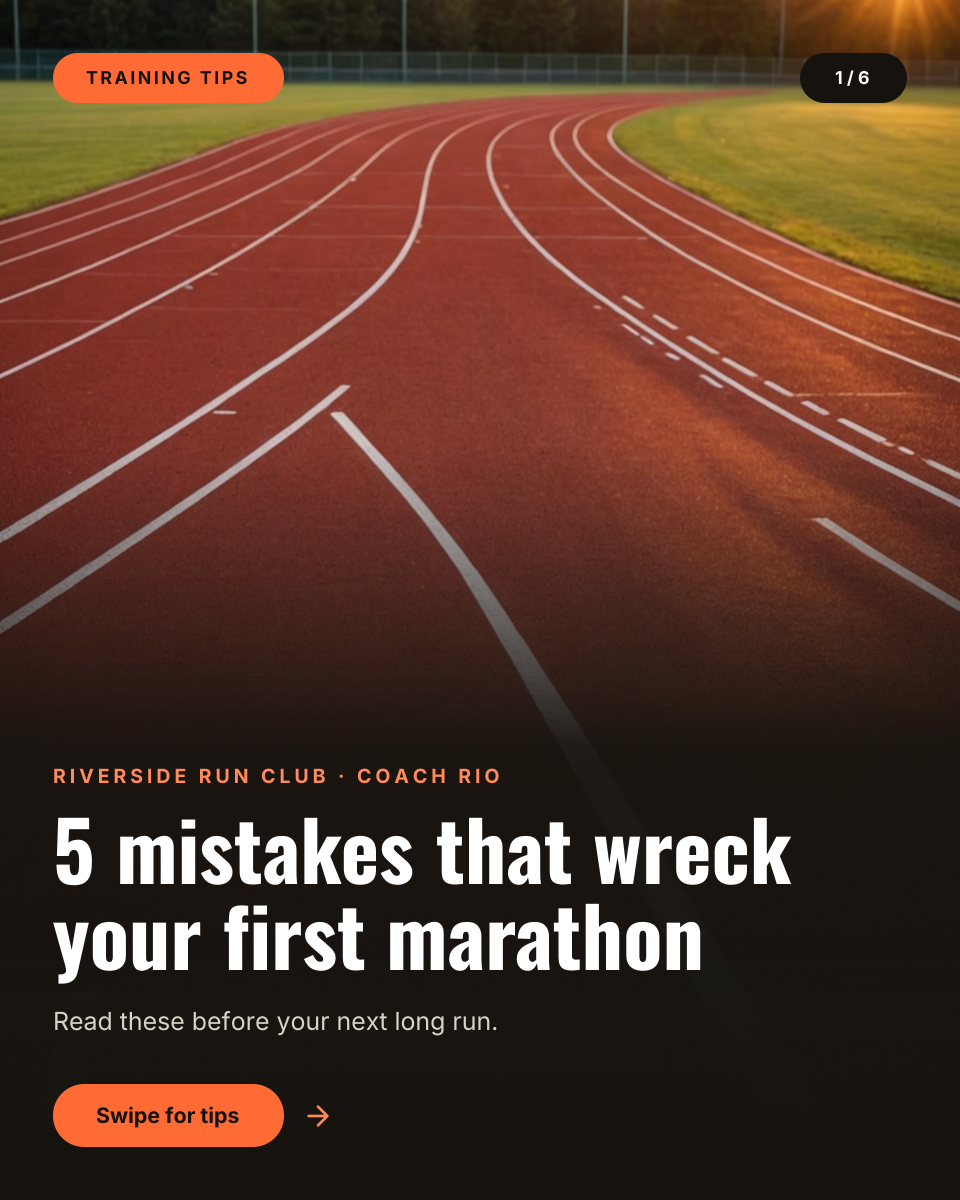
A 4:5 carousel cover for running coaches, run clubs and fitness creators. An empty track at sunrise fills the frame, a dark fade at the bottom holds the club name and a bold list headline, and the orange swipe button tells people there is more to see.
Opens your own copy in the Liena editor — the original stays untouched. Free with a Liena account; downloads on the free plan include a small watermark.
- Format
- Portrait post (4:5)
- Size
- 1080 × 1350 px (4:5)
- Fonts
- Inter, Oswald
- Colours
- Editable layers
- 12
- Export
- PNG, full resolution
Design details
Oswald's tall, narrow letters fit a long headline in two lines and feel sporty, and Inter keeps the small labels clean. The orange accent comes from the track itself, and the near-black fade keeps the text easy to read over the photo.
Best for
- Training tip carousels
- Race-day checklists
- Run club advice posts
- Coaching programme teasers
How to customise it
- Change the number and the headline.
- Update the page counter to match your slides.
- Swap the photo for your own route or track.
- Put your club or coach name in the top line.
Everything in this template is editable
This isn’t a flat image. The design opens as 12 separate layers you can select and change individually.
6 text layers
Double-click to rewrite. Change font (Inter, Oswald by default), size, weight, line height, letter spacing, alignment, case, colour and shadow.
1 image
Replace with your own upload, then crop, zoom, pan, flip, round the corners and adjust brightness, contrast, saturation or blur.
4 shapes
Recolour fills with any hex or brand colour, change opacity and corner radius, or resize and rotate decorative elements.
1 icon
Recolour, resize or delete icons, and add new ones from the built-in Iconify icon search.
Layers & layout
Drag to move, resize from any handle, rotate, nudge with arrow keys, reorder or hide layers, duplicate and delete — with undo and redo.
Background & brand
Change the background colour or add a background image, and recolour any shape or text to match your style.
How to use this template
- Click “Use this template”. If you’re new to Liena, create a free account first — you’ll come straight back to this design.
- Edit the text, replace images and adjust colours. Changes save automatically every 30 seconds, or press Save at any time.
- Export a PNG at 1080 × 1350 px. Your design stays in your dashboard to edit again later.
Related templates
Social media
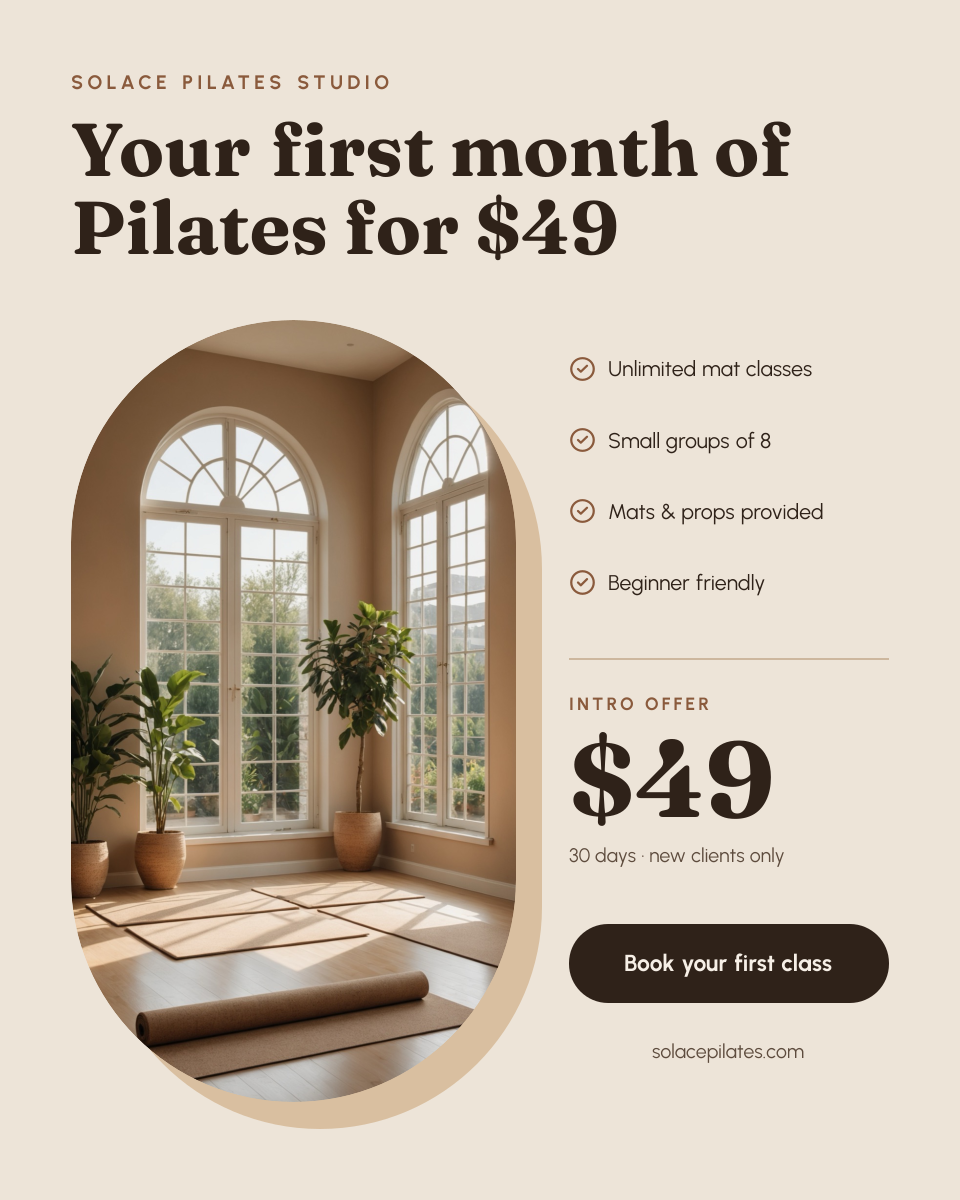
Pilates Intro Offer Post
Arched studio photo beside a checklist, big intro price and a booking button.

Social media
LinkedIn Carousel Cover
Hook headline and slide count beside a cut-out portrait, name and swipe button.
Social media
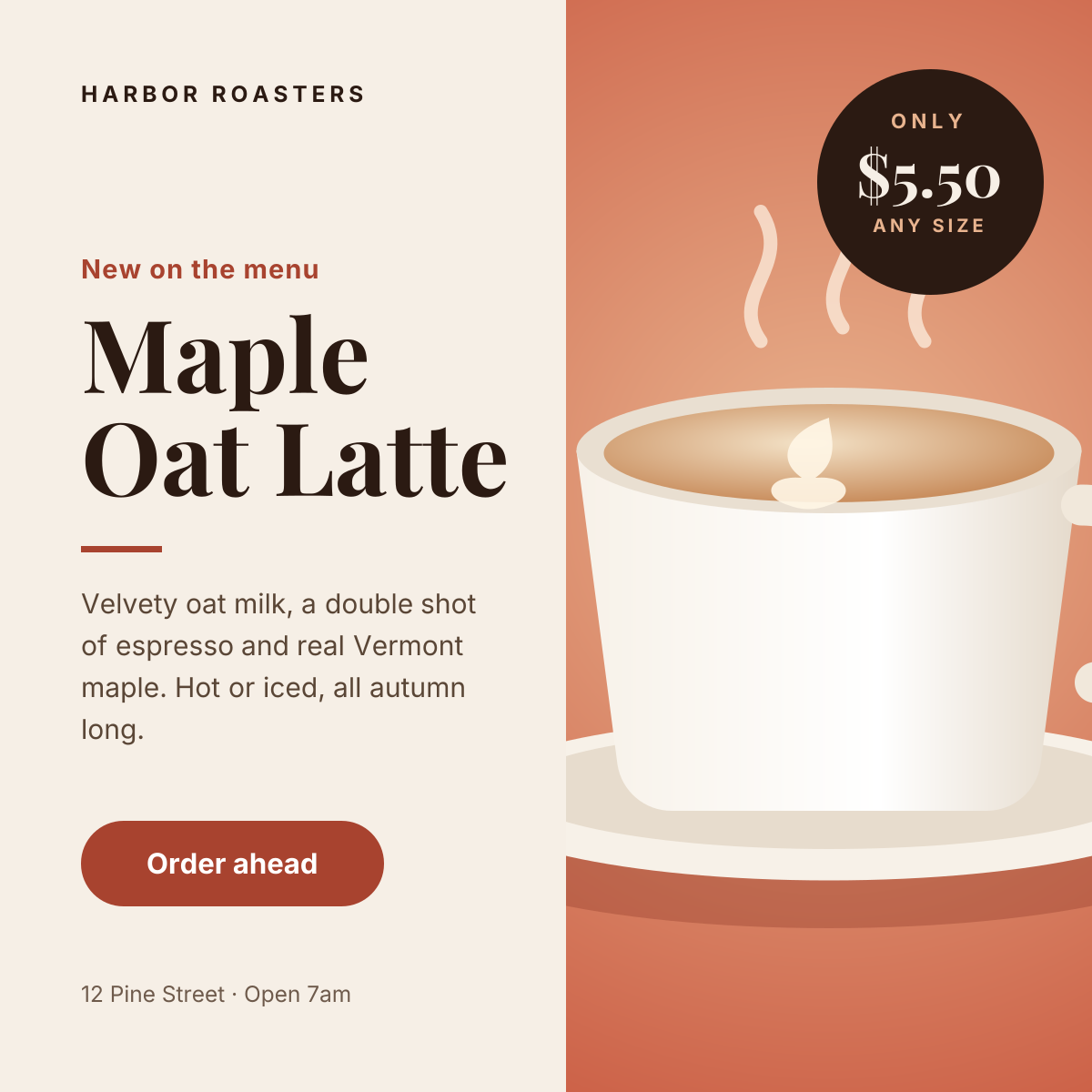
Instagram Promotional Post
Split layout with a product photo, price badge and a clear order button.
Start with the marathon training carousel template
Your copy opens in the editor in seconds.
Use this template