Social media
This or That Instagram Story Template
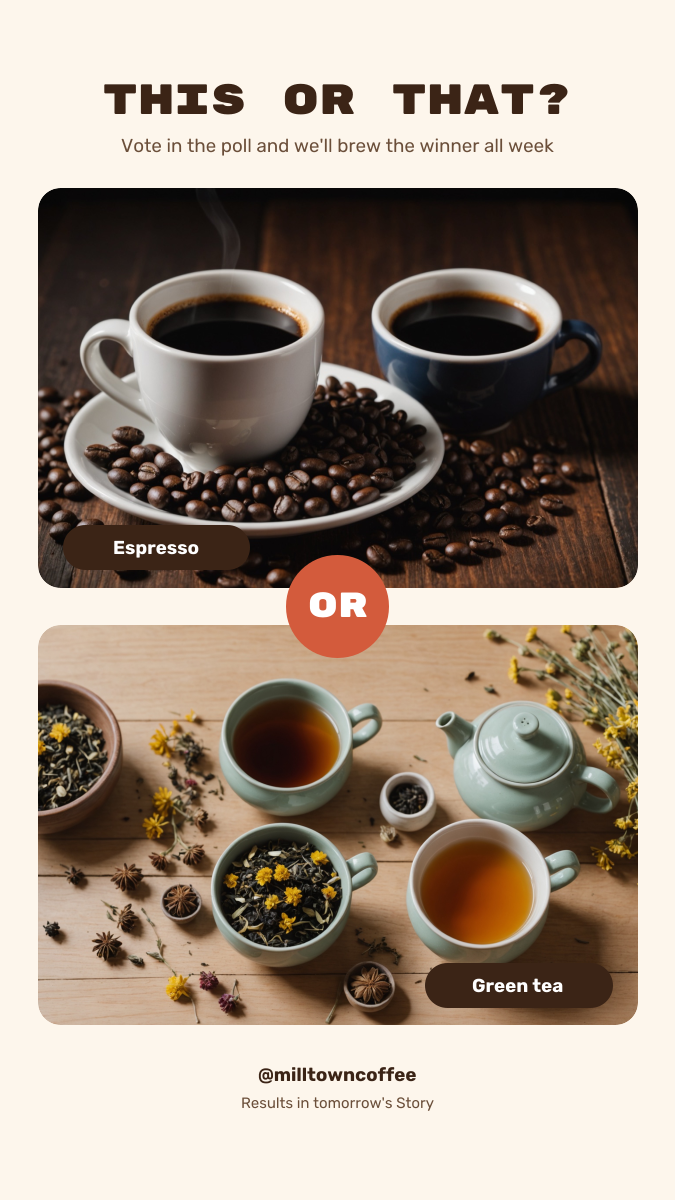
A This or That Story for cafés, restaurants, shops and creators who want more replies and poll votes. Two photos are stacked with a coral OR badge where they meet and a label on each, the title and instructions sit at the top, and the bottom has your handle and room for a poll sticker.
Opens your own copy in the Liena editor — the original stays untouched. Free with a Liena account; downloads on the free plan include a small watermark.
- Format
- Instagram Story
- Size
- 1080 × 1920 px (9:16)
- Fonts
- Rubik Mono One, Rubik
- Colours
- Editable layers
- 12
- Export
- PNG, full resolution
Design details
Rubik Mono One gives the title a playful game-show look, and Rubik keeps the labels friendly. The coral badge sits right where the two photos meet, so the eye goes straight to the choice.
Best for
- Instagram Story polls and games
- Menu and product votes
- Customer favourite contests
- Brand engagement content
How to customise it
- Swap both photos for your two options.
- Change the label on each photo.
- Add an Instagram poll sticker after you upload.
- Edit the handle and follow-up line.
Everything in this template is editable
This isn’t a flat image. The design opens as 12 separate layers you can select and change individually.
7 text layers
Double-click to rewrite. Change font (Rubik Mono One, Rubik by default), size, weight, line height, letter spacing, alignment, case, colour and shadow.
2 images
Replace with your own upload, then crop, zoom, pan, flip, round the corners and adjust brightness, contrast, saturation or blur.
3 shapes
Recolour fills with any hex or brand colour, change opacity and corner radius, or resize and rotate decorative elements.
Layers & layout
Drag to move, resize from any handle, rotate, nudge with arrow keys, reorder or hide layers, duplicate and delete — with undo and redo.
Background & brand
Change the background colour or add a background image, and recolour any shape or text to match your style.
How to use this template
- Click “Use this template”. If you’re new to Liena, create a free account first — you’ll come straight back to this design.
- Edit the text, replace images and adjust colours. Changes save automatically every 30 seconds, or press Save at any time.
- Export a PNG at 1080 × 1920 px. Your design stays in your dashboard to edit again later.
Related templates
Social media
Product Launch Countdown Story
Dark product-drop Story with a glowing hero shot and countdown tiles.
Social media
Yoga Class Story
Framed studio photo with a calm serif headline, class times and a reserve button.
Social media
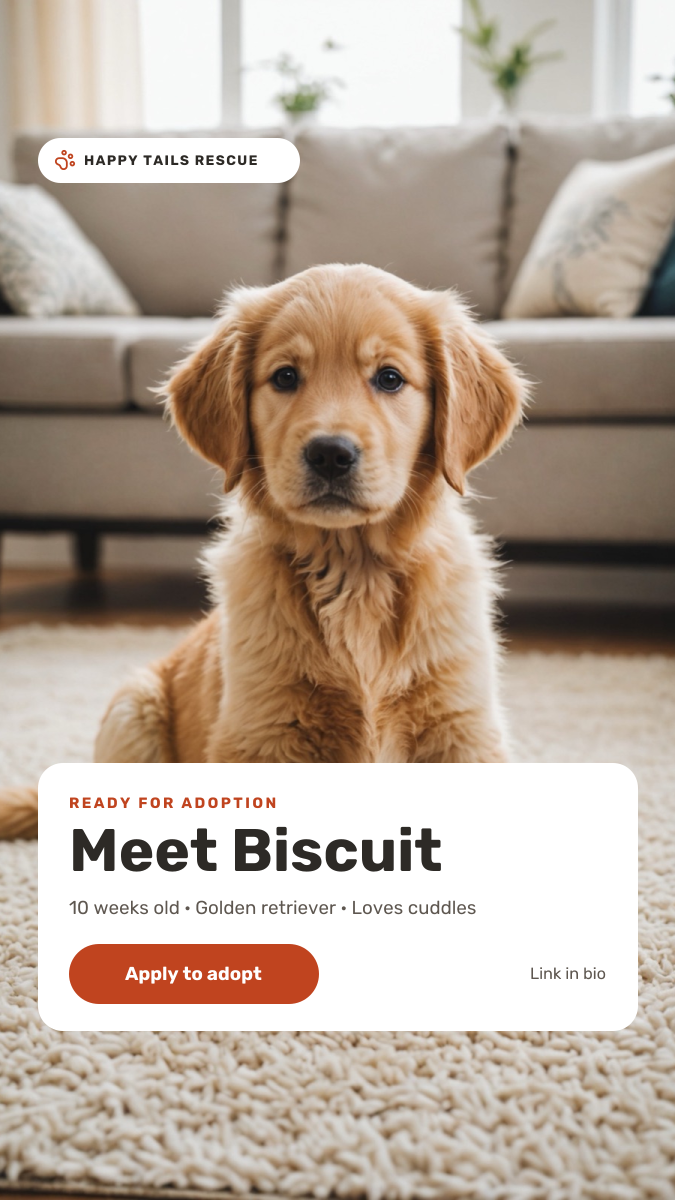
Pet Adoption Story
Full-screen puppy photo with a white profile card and apply-to-adopt button.
Start with the this or that instagram story template
Your copy opens in the editor in seconds.
Use this template