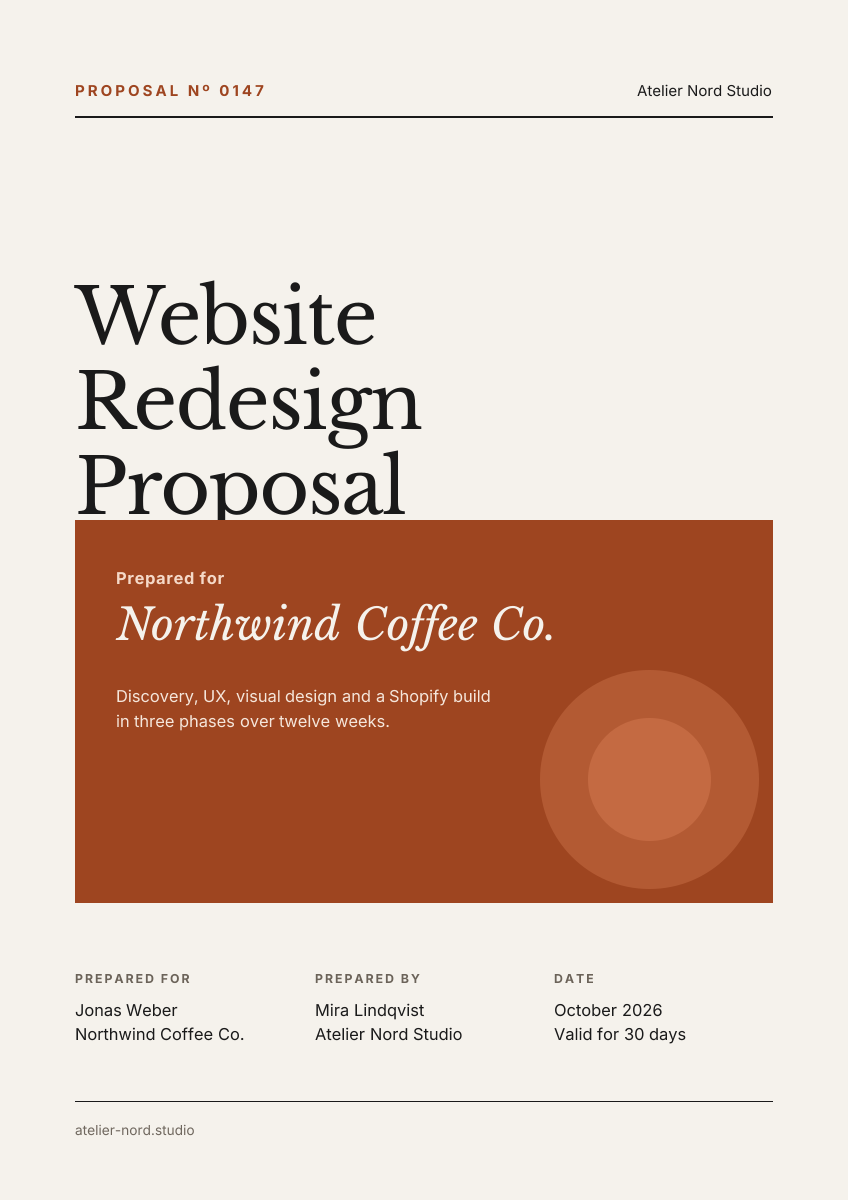
Preview of the Chore Chart template: white a4 page with a purple header, yellow stars, a chore chart title and family name, a yellow day header, ten chores with coloured icons, a seven-day grid of lilac circles with gold stars on finished days, and a mint weekly reward box with a trophy
Business & branding

Chore Chart Template

A weekly chore chart for kids and families. A purple header with stars holds the family name and week, followed by ten chores with icons, from making the bed to reading for 20 minutes, and a Monday to Sunday grid. Kids earn a gold star for each job, and a reward box at the bottom says what the stars add up to.

Opens your own copy in the Liena editor — the original stays untouched. Free with a Liena account; downloads on the free plan include a small watermark.

Format
A4 document cover
Size
1240 × 1754 px (0.71:1)
Fonts
Fredoka, Mulish
Colours
Editable layers
142
Export
PNG, full resolution

Design details

Fredoka's rounded letters feel playful, with Mulish for the chore names. Purple, gold and mint stay bright without being loud.

Best for

  • Kids' weekly chores
  • Family routines on the fridge
  • Reward and star charts
  • Teachers and childminders

How to customise it

  • Change the family name and week.
  • Edit the chores and swap the icons.
  • Add or remove stars as jobs get done.
  • Rewrite the weekly reward.

Everything in this template is editable

This isn’t a flat image. The design opens as 142 separate layers you can select and change individually.

22 text layers

Double-click to rewrite. Change font (Fredoka, Mulish by default), size, weight, line height, letter spacing, alignment, case, colour and shadow.

79 shapes

Recolour fills with any hex or brand colour, change opacity and corner radius, or resize and rotate decorative elements.

41 icons

Recolour, resize or delete icons, and add new ones from the built-in Iconify icon search.

Layers & layout

Drag to move, resize from any handle, rotate, nudge with arrow keys, reorder or hide layers, duplicate and delete — with undo and redo.

Background & brand

Change the background colour or add a background image, and recolour any shape or text to match your style.

How to use this template

  1. Click “Use this template”. If you’re new to Liena, create a free account first — you’ll come straight back to this design.
  2. Edit the text, replace images and adjust colours. Changes save automatically every 30 seconds, or press Save at any time.
  3. Export a PNG at 1240 × 1754 px. Your design stays in your dashboard to edit again later.
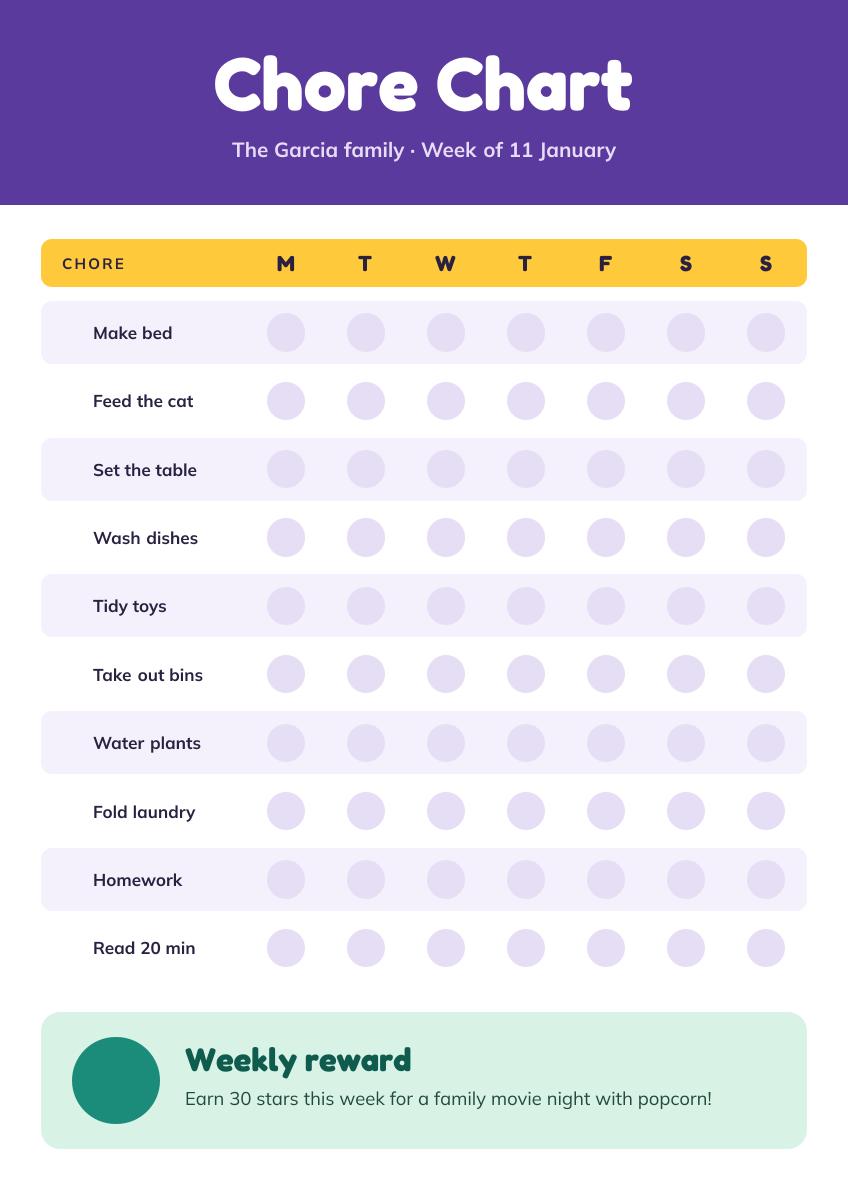
Preview of the Business Proposal Cover template: editorial a4 cover page with client, scope and a details table
Business & branding

Business Proposal Cover

Editorial A4 cover page with client, scope and a details table.
A4 document cover · 1240 × 1754
Preview of the Annual Report Cover template: dark a4 report cover with a giant year and concentric circle graphic
Business & branding

Annual Report Cover

Dark A4 report cover with a giant year and concentric circle graphic.
A4 document cover · 1240 × 1754
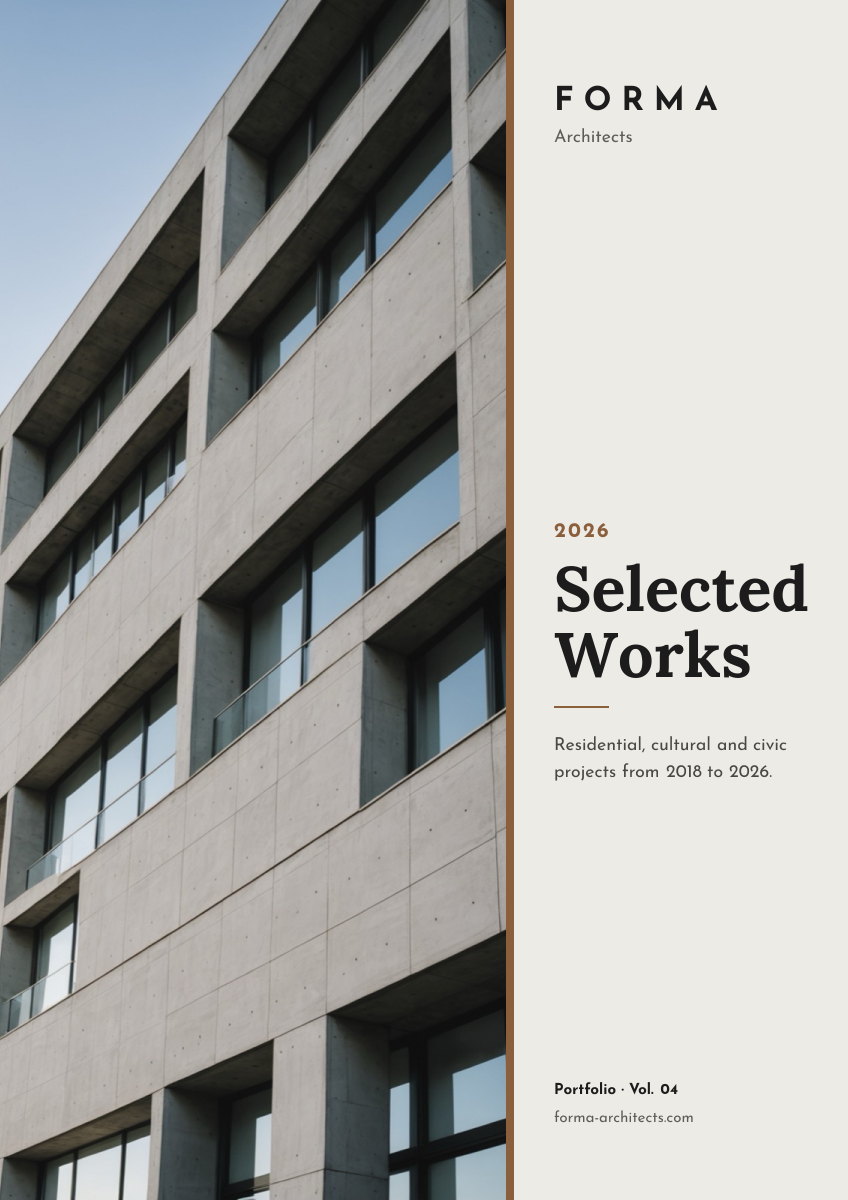
Preview of the Architecture Portfolio Cover template: full-height building photo beside a minimal serif title column
Business & branding

Architecture Portfolio Cover

Full-height building photo beside a minimal serif title column.
A4 document cover · 1240 × 1754
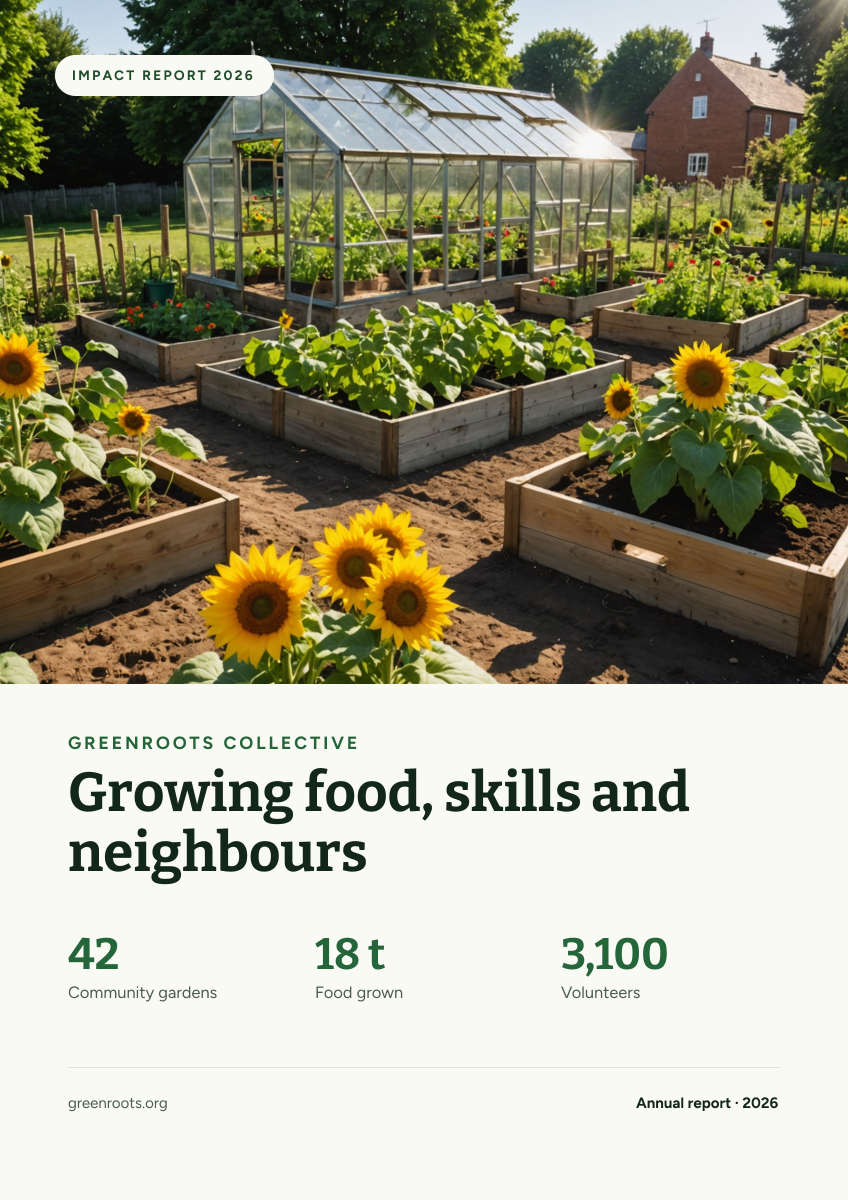
Preview of the Nonprofit Impact Report Cover template: community garden photo with a mission headline and three headline stats
Business & branding

Nonprofit Impact Report Cover

Community garden photo with a mission headline and three headline stats.

A4 document cover · 1240 × 1754

Start with the chore chart template

Your copy opens in the editor in seconds.

Use this template